
A price you can stand behind,
in minutes.
Tell QS Pilot about the job the way you'd tell someone on the phone, or take a few photos on site and add the drawings and spec you were sent. It works out every line from the labour, materials and plant that go into it, using a UK rate book, and shows you how it got each number so you can change anything you like before it goes to your customer.
Where the time goes
Most builders aren't short of work, they're short of time to price it.
Most good builders and subcontractors aren't short of work. Referrals come in, old customers ring back, and there's always someone who needs a number by the end of the week.
What runs out is the time to price it all. Before you can send a figure you have to pull together the photos, the WhatsApp threads, the measurements on the back of an envelope, the supplier prices and the dimensions that only live in your head, and turn them into a number you'd be happy to stand behind. The first sensible quote in often gets the job, so that evening at the kitchen table matters more than it should.
In an ideal world you'd have a quantity surveyor on hand to do the sums while you got on with the building, but most small firms can't carry that cost, and the ones that do well are usually the ones that keep their overheads lean.
QS Pilot is meant to give you that help without adding the overhead.
How it works
From the brief to a priced quote
There are three steps in the app before you have a quote. A small job is priced in a few minutes, and even a full tender of hundreds of lines comes back in minutes, ready for you to check and finish.
Tell it what the job is
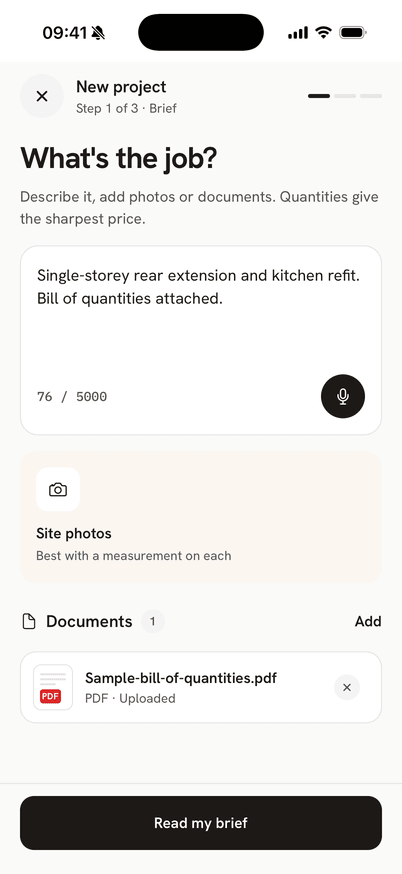
Describe the job in your own words, or dictate it if your hands are full. Add a few site photos with a measurement on each, along with any drawings, specs, bills of quantities or supplier quotes you've been sent. The more quantities you give it, the sharper the price will be.
Every line gets priced
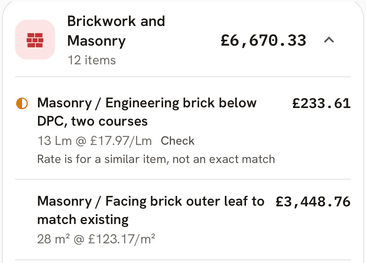
Each line is built up from labour hours, materials and plant using rates from the QS Pilot rate book. When there isn't an exact rate it adapts the closest one or makes its own estimate, and it always tells you which it did. Every line shows how sure it is, and anything it thinks you've missed is offered to you to add rather than slipped into the price.
Send a quote that looks the part
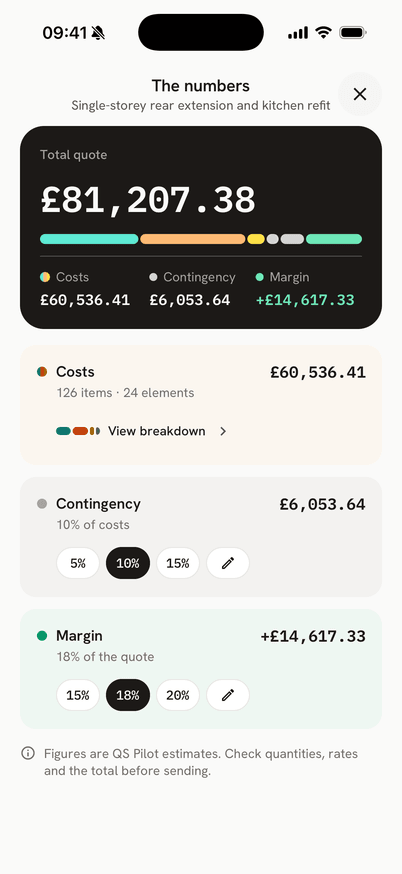
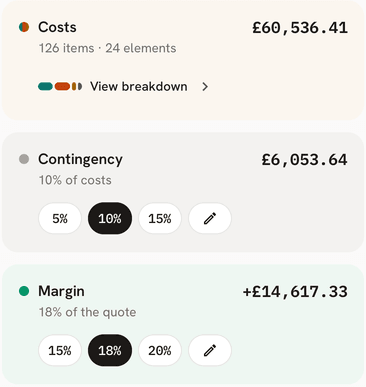
Look over your costs, your buffer and your margin, then send a branded PDF with your logo on it and every line set out. If you change something later, the earlier version is kept, so you always know what the customer was sent.
Inside a price
You can see how every price was worked out
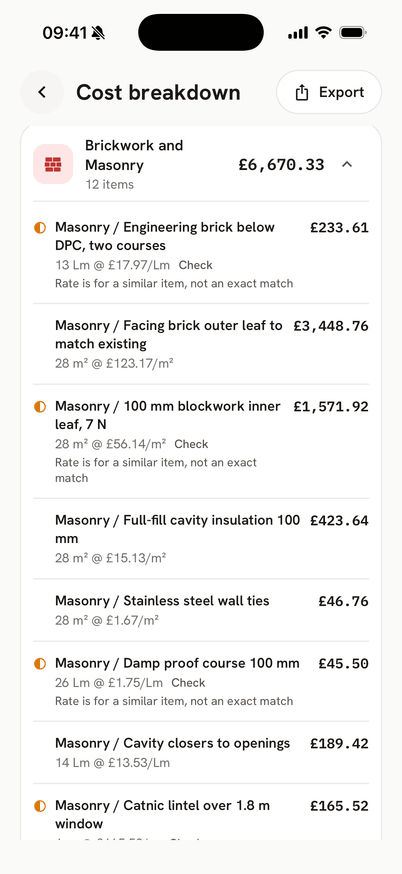
Tap any line and you'll see what's inside it, so when a customer asks where a number came from you can show them rather than guess.
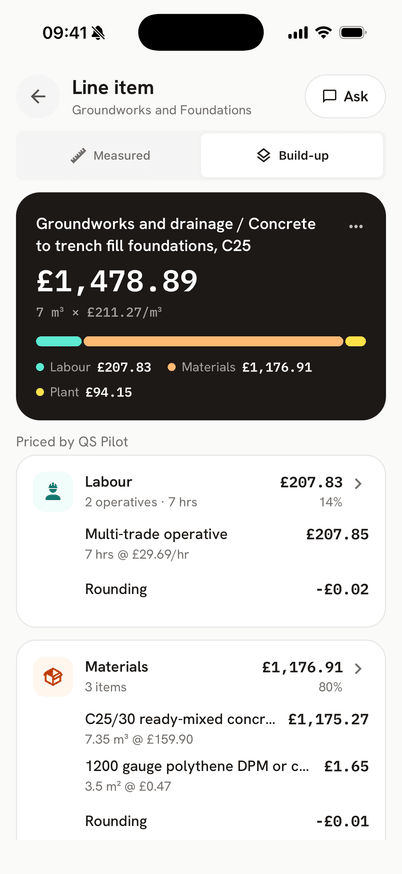
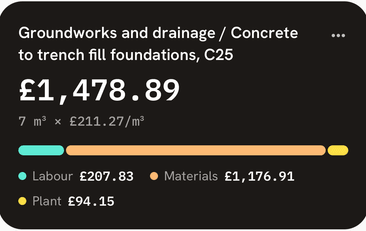
This is a drawing in the app's style, and the figures are made up for the example rather than taken from a real job.
-
Labour, materials and plant on every line
You don't just get one number per line. You can see the hours and the size of the gang, each material and any plant, so it's clear where the money goes.
-
Where each rate came from
Every part of a price says whether it came straight from the QS Pilot rate book, was adapted from the closest rate in it, or is QS Pilot's own estimate, so nothing is dressed up as something it isn't.
-
Your own figures
You can swap a whole rate for one of yours, change a single material or the labour, or type in your own rate. Save the ones you use often to My Rates and they'll be there next time.
-
Ask about any rate
If a line doesn't look right, ask QS Pilot about it in plain English and you'll get an answer about that line on that job.
After you win it
It stays with the job after you've won it
The quote is only the start, and the same app follows the job right through to the final account.
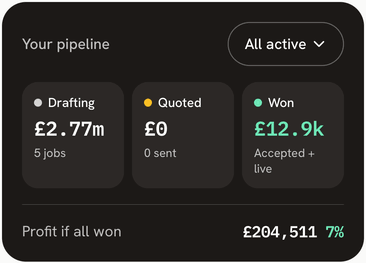
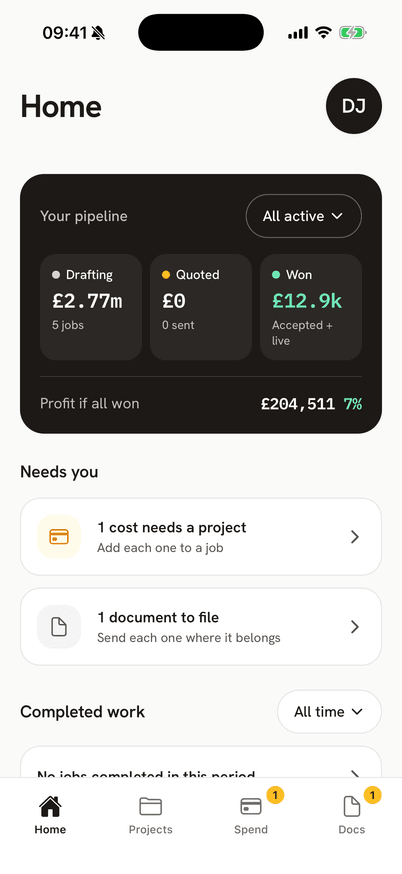
Your pipeline
See what you're drafting, what's out with customers and what you've won, along with anything that needs you today.
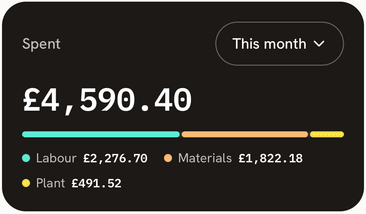
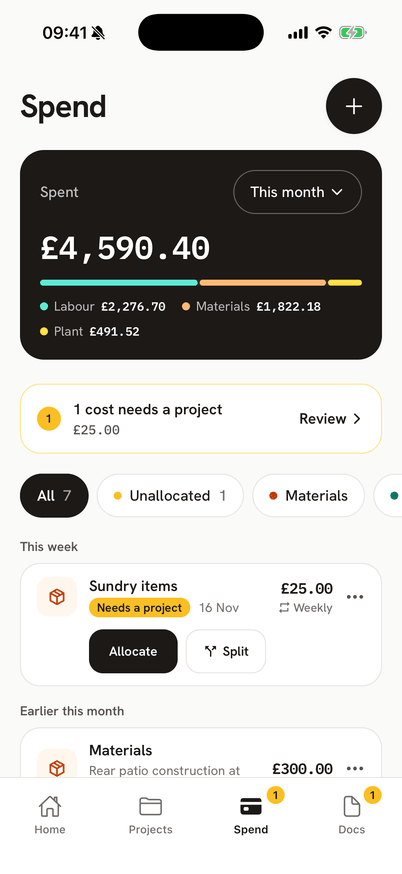
Log what you spend
Take a photo of a receipt or invoice and it gets read for you. You pick the project, and nothing is filed without you saying so.
One place for paperwork
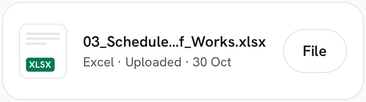
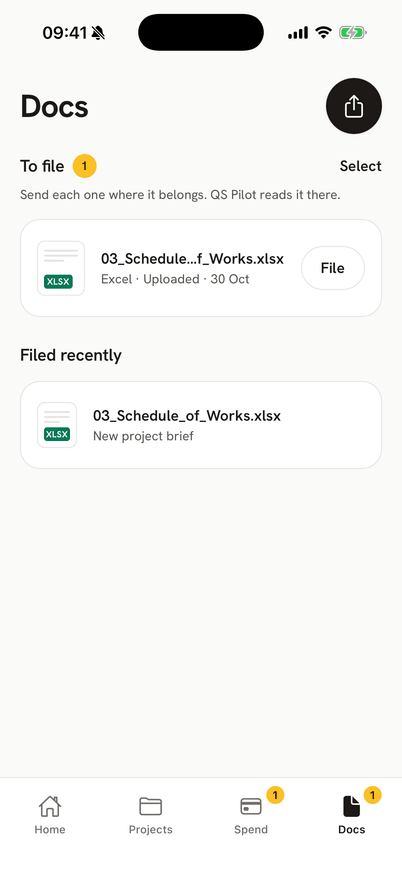
Share drawings, specs and invoices in from email or WhatsApp, then file each one to the right project when you get a minute.
See what you made
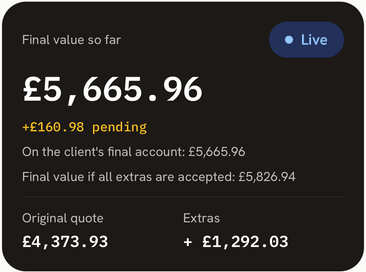
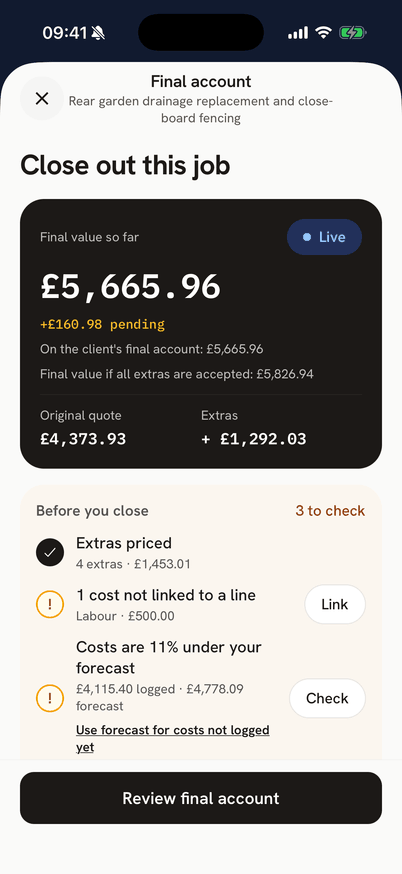
When the job's finished, your quote, extras and costs come together in a final account that shows your profit.
Add an extra
When the customer wants more, describe it, add a photo or two and price it the same way you priced the job.
Log a cost change
If something costs more than you planned, say who's paying for it. If it's on you, you'll see straight away what it does to your margin.
Quoted vs now
Once the job is live you can see the quote alongside where things stand now, including costs, contingency left and margin.
About your margins
Your bank balance isn't your margin.
Plenty of builders judge how they're doing by what's in the business account. If it looks healthy they assume things are fine, and if it's low they sharpen the pencil on the next quote to keep the lads busy. The number that tells you the truth is the profit on each job, because that shows you which work is paying and which is quietly leaking. Every extra you do for free because writing it up would take longer than doing it is margin you've given away.
QS Pilot keeps track of the profit on every project and lets you price an extra while you're still on site, send it to the customer and have it carried through to the final account.
There's no reason to keep doing that work for nothing.
The calculator
What's 80% of that time back worth to you?
Put in two numbers and we'll show you what getting 80% of that time back would be worth.
That's 8 hours a week back for meeting customers, looking at sites and winning the next job, which is the work that actually grows a business.

Who built this
Why I built QS Pilot
I'm Ed, and I've been a quantity surveyor for more than ten years. For most of that time I've sat on the other side of the table from builders, as the main contractor's or the client's QS, and part of that job is pushing your margins down.
Again and again I've watched people who are brilliant on the tools set up on their own, build a proper business and then get run ragged by the commercial side. It isn't a lack of ability. Pricing is a skill of its own, and it isn't one anybody teaches you on site. I got talking to a lot of subcontractors who were spending ages pricing work without really understanding the first principles behind it, the labour, materials and plant that go into every job. I've priced work for subcontractors myself, charging my day rate, and it isn't that difficult. It's just slow, because you need the right cost data, clearly labelled and quick to get to, and that's where the AI comes in.
So I've built the tool I'd want if I were in your position. I started the QS Pilot rate book two years ago and have built it line by line alongside the app ever since, breaking each rate into the labour, materials and plant behind it. I check the prices by hand: I price jobs myself, then have the app price the same job and compare the two, because what I'm after is pricing that's consistent and defensible on every kind of job. The app does the reading and the sums, but the rates it works from were put together and checked by a person.
It's still early days, and if something looks wrong or is missing I'd like to hear about it at support@qspilot.app. QS Pilot is built and supported by me, so when you email, I reply.
Everything you get
Here's what you get, free for 30 days and then £49 a month.
- 01
Every line built up from first principles
Behind every price are the labour hours, materials and plant, taken from a UK rate book of 2,600+ rates, so you can see what each line is made of rather than just a total.
- 02
It shows its working
Each part of a price tells you where it came from, whether that's the rate book, the closest rate adapted to fit, or QS Pilot's own estimate, and each line tells you how sure it is.
- 03
Start from whatever you have to hand
A description, some site photos with measurements, drawings, specs, bills of quantities or supplier quotes will all do, and you check the scope it has read before it prices anything.
- 04
Work you might have missed is offered, not added
Suggested lines come to you to accept or turn down, and they never go into the price behind your back.
- 05
Your rates, your call
Swap any rate for your own, change a single material or the labour, or type in a rate, and your own rates and suppliers are kept in the app for next time.
- 06
Branded quote PDFs
Your logo, every line set out and your payment terms, ready to send from site so you're not retyping it all on a Monday morning.
- 07
Spend, extras and cost changes
Log costs as they go out and have receipts and invoices read for you, price extras on site, and see the quote next to where the job is now.
- 08
A final account at the end
Your quote, extras and costs are rolled into one statement that shows your profit.
- 09
30 days, on the house
GuaranteeUse QS Pilot free for 30 days with no card needed to start. If it's not for you, just walk away, because we won't even have your card number.
- 10
Ed prices a job with you, free
GuaranteeIf after your first paid month you don't feel QS Pilot is paying its way, Ed will get on a call with you and price your next job together, putting more than ten years of QS experience to work on your live job for free.
Pricing
Try it free for 30 days, then it's £49 a month
There's no card needed up front, and if it isn't paying its way after your first paid month, I'll get on a call and price your next job with you.
- Unlimited projects and quotes
- Every line built up: labour, materials, plant
- UK rate book, plus your own rates
- Reads photos, drawings, specs and BOQs
- Branded quote PDFs with your logo
- Spend, extras and cost changes
- Final account with your profit
- iPhone first · Android later
Our promises
FAQ
Questions people usually ask
Is this actually going to replace a real QS?
Where do the prices come from?
How does the free trial work?
Can I pay yearly instead of monthly?
What's the "I'll price a job with you" guarantee?
What if QS Pilot gets the numbers wrong?
What can I give it to price from?
Does it work without signal on site?
Is my data safe?
I'm setting up on my own. Is this app right for me?
I'm a sole trader doing extensions. Is this overkill?
Is there an Android version?
Can I cancel any time?
30 days free · £49/mo after · no card required
Stop losing Sunday evenings
to spreadsheets.
Try QS Pilot free for 30 days, and after that it's £49 a month. If it isn't paying its way after your first paid month, I'll get on a call and price your next job with you.
On Android? Email us and we'll tell you when it lands.